
Where the site
is actually run.
Copy, images, colours, prices, opening times, bookings, orders and statistics all sit behind one and the same login. The panel comes with every site we build, whatever the tier and whether you take bookings or sell products.
Included for every customer
Your own control panel
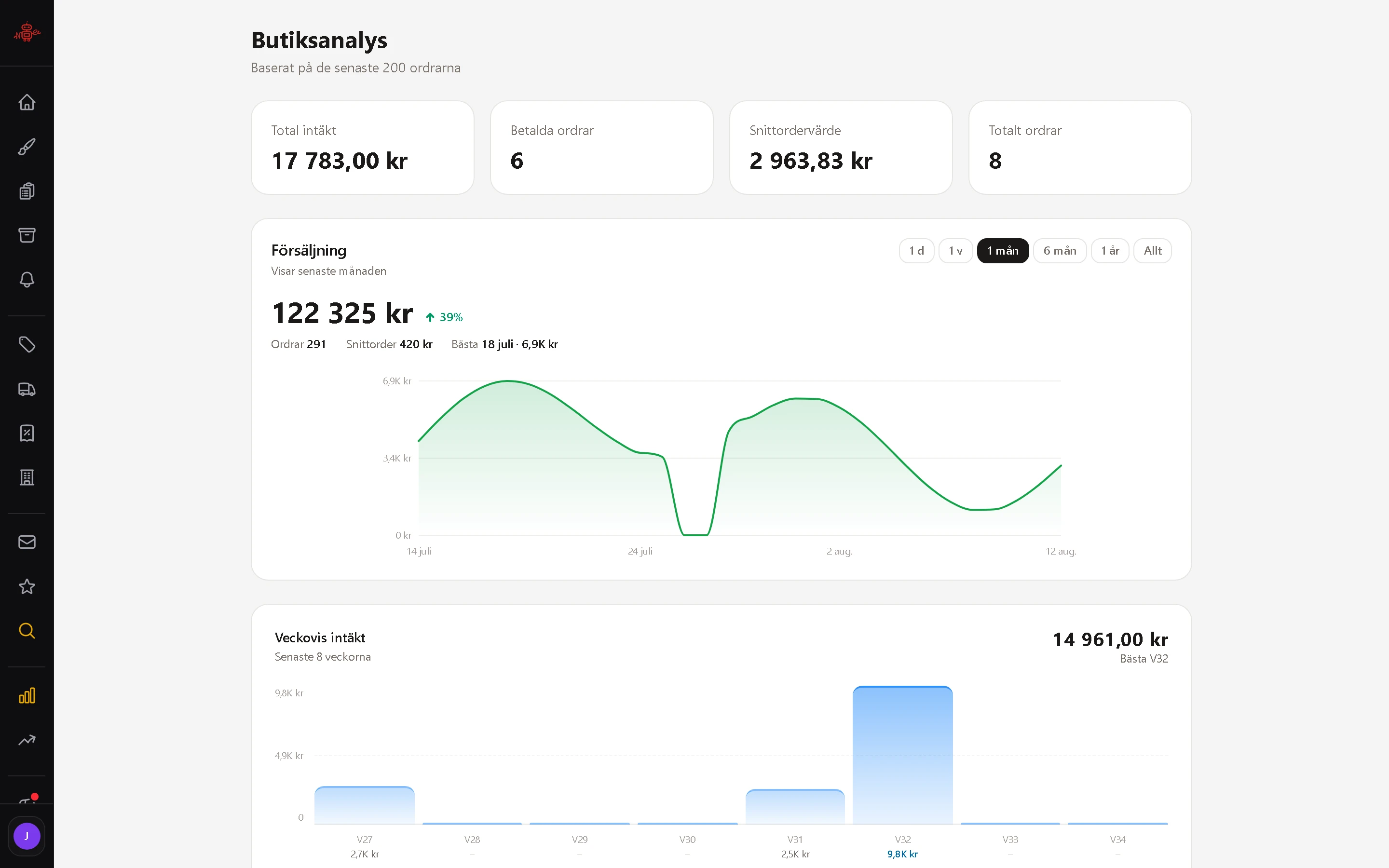
Everything about the business online in one place: opening times, services, staff, text, images, colours and numbers. You sign in at your own address and you are in, with no developer on the phone.
Kraftfulla funktioner
Bookings
Bookings
The whole calendar in real time. Move, cancel or pause slots directly, and the customer is told automatically.
Services
Add and group what you sell. Price, duration and who performs it, per service.
Staff
Schedules, roles and permissions. Each member of staff sees their own; you see everything.
The editor
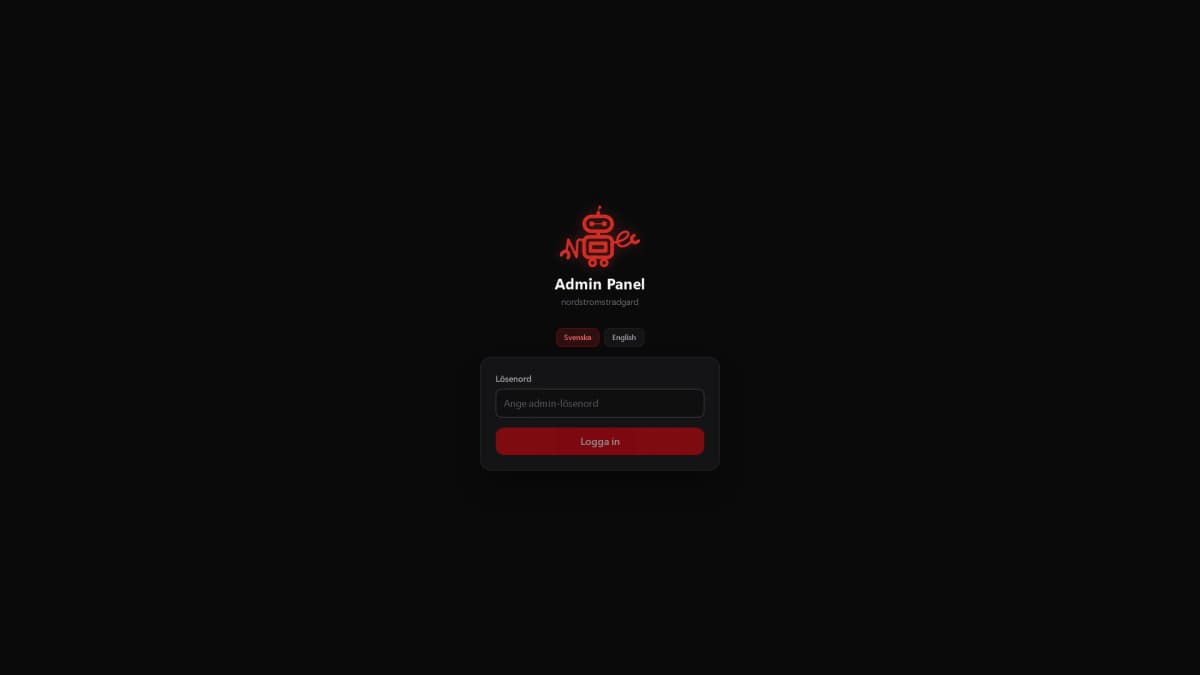
Change text, images and colours with the site beside you. What you see is what gets published.
Statistics
Visitors, bookings and revenue in one view, so you can see what actually brings in work.
Payments
Take payment at the moment of booking, so no-shows cost less. Included in Pro.
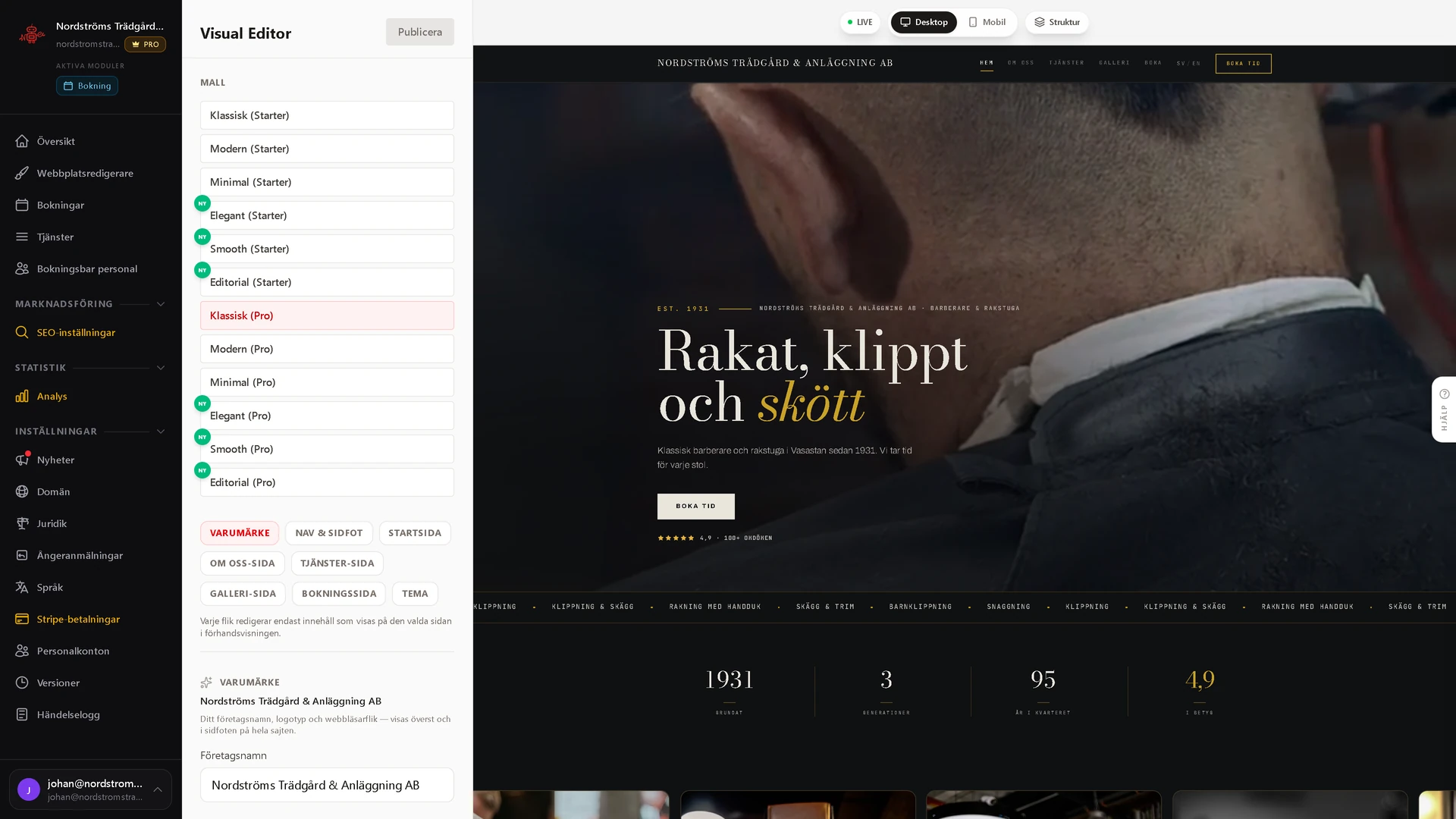
You watch the page change as you type.
The editor keeps your site open beside the fields. Change a heading, a price, a colour or an image and the preview redraws immediately, in desktop or mobile view. Nothing reaches a visitor until you press Publish.
- A live preview in both desktop and mobile view
- One tab per part of the site: brand, home, about, gallery, contact
- Drag the sections into a new order, or hide one entirely
- Change template family without redoing the content
- Seventeen ready-made colour palettes, or set every colour yourself
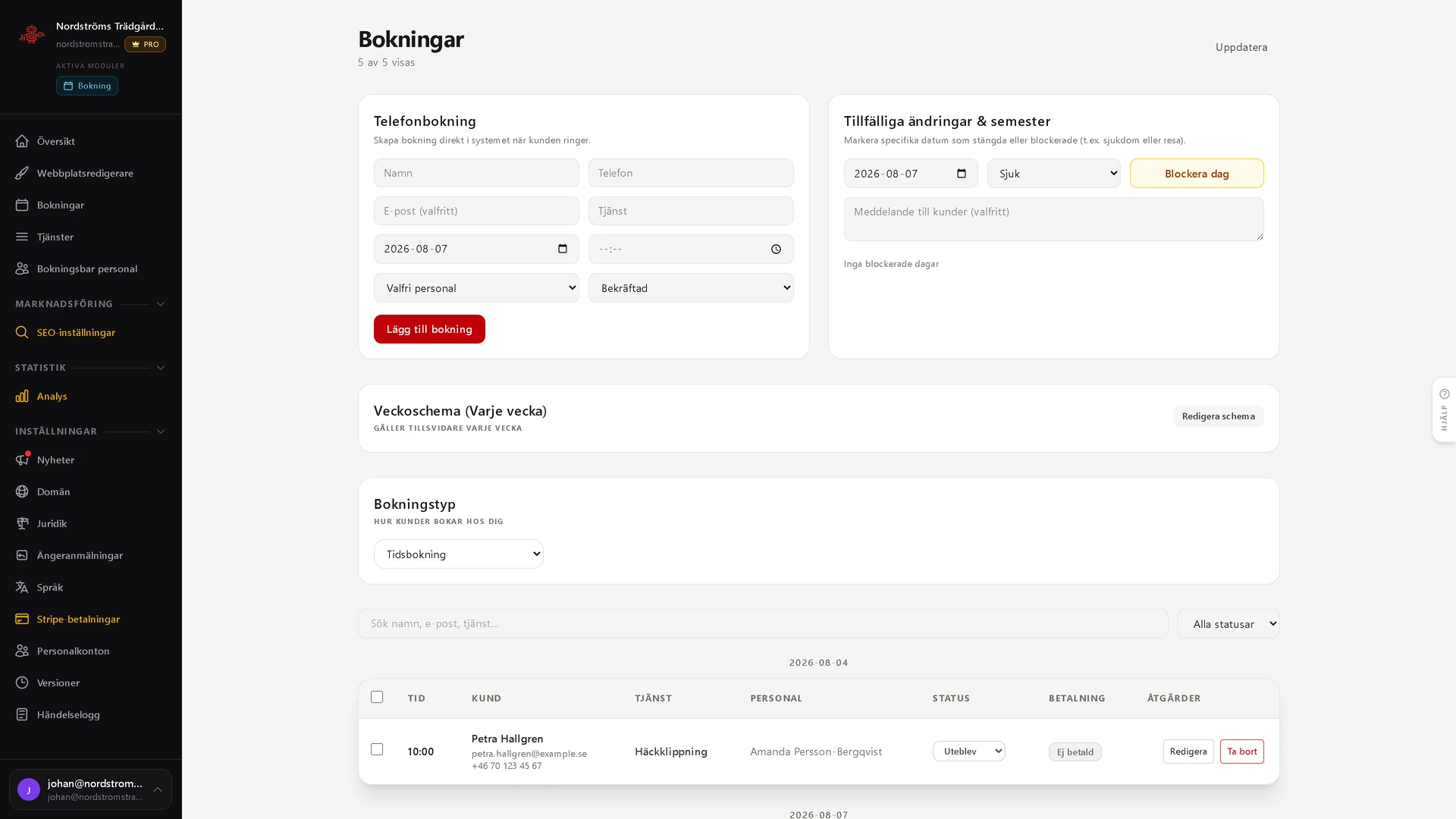
Every booking in one place.
Bookings land in the panel immediately. You see the day, the week and who has what, and you can add a slot by hand when someone rings anyway. Staff schedules and service durations decide what can be booked.
- Day and week views of every booking
- Services with their own duration and price
- Manual bookings when someone rings
- Sick leave and absence close the slots straight away
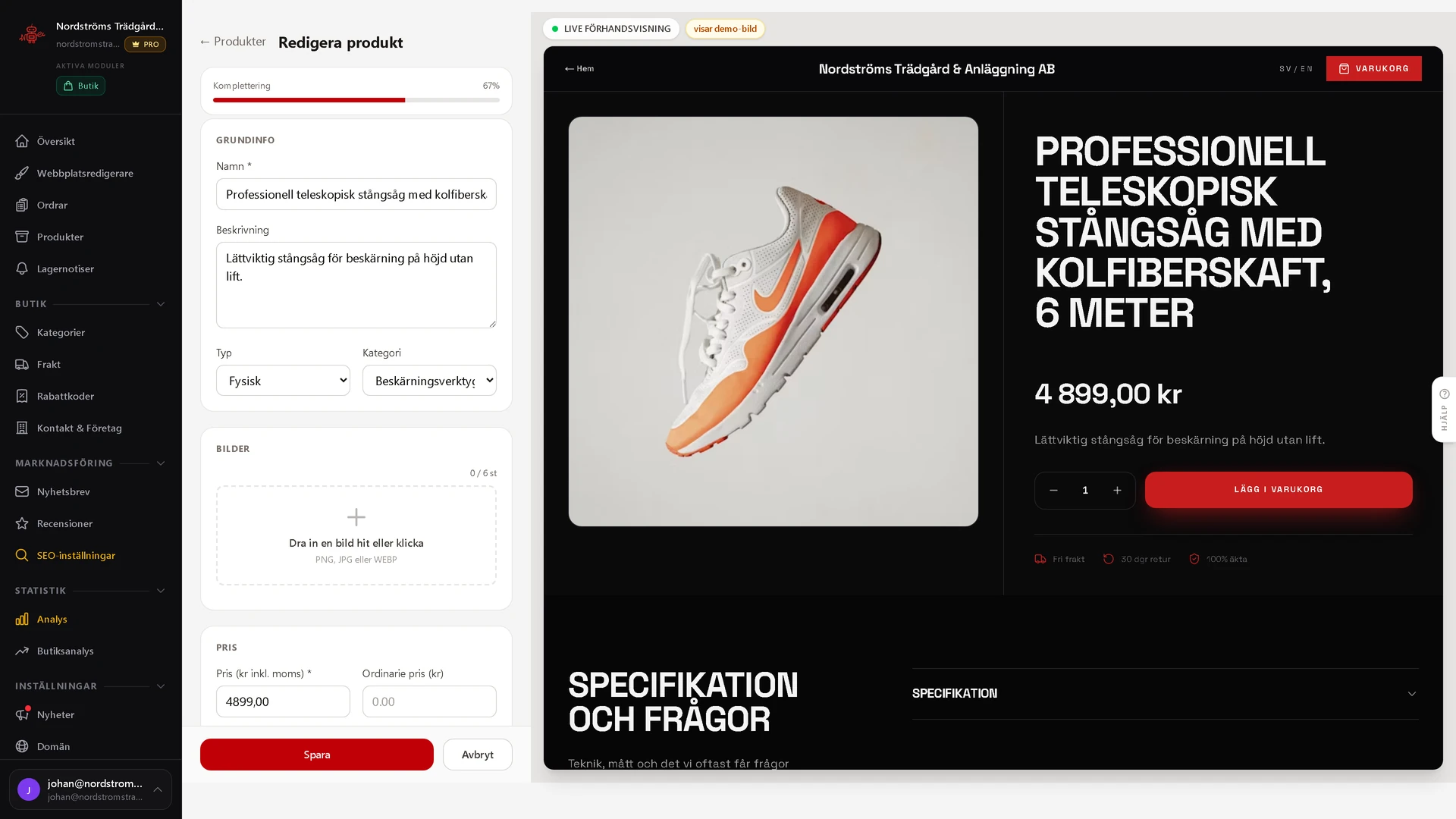
The product page is drawn as you fill it in.
Name, description, price and images in the form on the left. The page the customer meets is built up beside it as you type, with price, stock status and buy button in place, so you see the result before you save.
- Up to six images, drag and drop
- Price including VAT, regular price and a sale percentage
- A live preview of the whole product page
- A meter showing how complete the product is
You get what your business needs.
The panel is put together from what your site actually does. A hairdresser sees a calendar, staff and services. A shop sees orders and stock.
| In the panel | Booking | Online shop | Landing page |
|---|---|---|---|
| The editor, with a live preview | Included | Included | Included |
| Copy, images, colours and content | Included | Included | Included |
| Your own domain, SSL and backups | Included | Included | Included |
| Version history and undo | Included | Included | Included |
| Users and permissions | Included | Included | Included |
| Calendar and bookings | Included | ||
| Staff and schedules | Included | ||
| Services with their own duration and price | Included | ||
| Products and stock levels | Included | ||
| Orders and shipping | Included | ||
| Discount codes and newsletters | Included | ||
| Shop analytics | Included | ||
| Online payments | Pro | Included | |
| Visitor statistics | Pro | Pro | Pro |
| SEO tools | Pro | Pro | Pro |
You never have to ring a web agency to change a price.
The panel is included with every site we build, at no extra charge. We handle operation, updates and support, you handle the content.
- No lock-in
- Support included
- GDPR-compliant
- Hosted in the EU